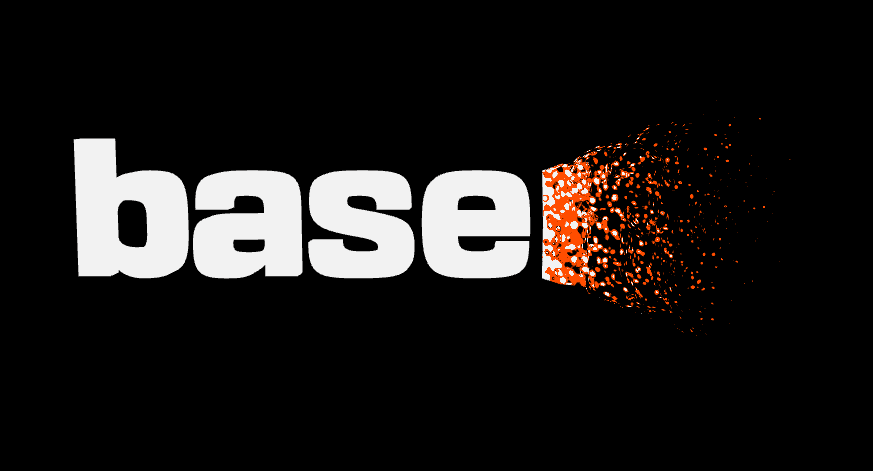
Dissolve effect
Dissolve effect with shaders.
Hello world! To celebrate my new position at basement.studio I created this small experiment.
To keep the post simple, I will focus on the shader code. Feel free to check the complete source code on Github.
Let's start with a simple shader that renders a white mesh. This shader will be applied to the logo model using a ShaderMaterial
// Vertex Shader
varying vec3 vNormal;
varying vec2 vUv;
varying vec3 wPos;

void main() {
  vUv = uv;
  vNormal = normal;
  wPos = (modelMatrix * vec4(position, 1.0)).xyz;
  gl_Position = projectionMatrix * modelViewMatrix * vec4(wPos, 1.0);
}
// Fragment shader

varying vec3 vNormal;
varying vec2 vUv;
varying vec3 wPos;

void main() {
  gl_FragColor = vec4(1.0, 1.0, 1.0, 1.0);
}

The first thing we need is a mask for our dissolve effect. To solve this, I implemented a couple of uniforms that can be used to create a circle mask.
The uniforms are:
vec3 mousePositionfloat transitionSizefloat radius
To create the mask, I'm using this function:
float getOffsetFactor(vec3 pos) {
  float x = length(pos - mousePosition) - radius;
  x = x / transitionSize;
  x = clamp(x, 0.0, 1.0);

  return x;
}
Let's visualize it:
// Fragment shader

varying vec3 vNormal;
varying vec2 vUv;
varying vec3 wPos;

// Load our uniforms
uniform vec3 mousePosition;
uniform float transitionSize;
uniform float radius;

// utils
// getOffsetFactor...

void main() {

  float offsetFactor = getOffsetFactor(wPos);

  vec3 color = mix(
    vec3(1.0, 1.0, 1.0),
    vec3(1.0, 0.0, 0.0),
    offsetFactor
  );

  gl_FragColor = vec4(color, 1.0);
}
In red, we can see the area that will be affected by the effect.
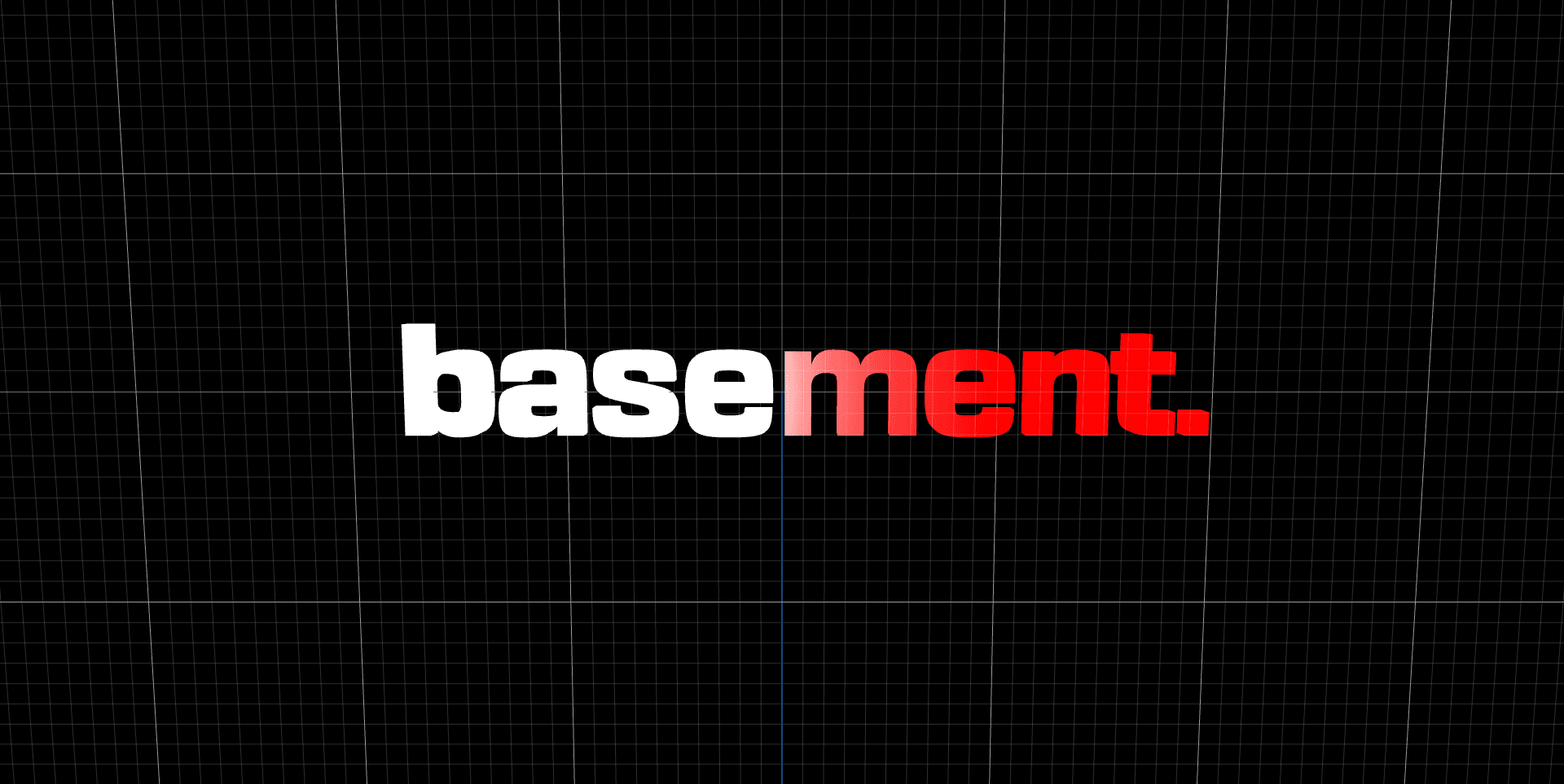
Now that we have our mask, we can start working on the dissolve effect. In order to "dissolve" something, a possible approach is to simply deform the object at the same time that we apply a noise texture to it. A cheap Thanos effect.
Transforming the mesh
On the vertex shader, we can calculate the offsetFactor for each vertex and use it to translate the vertex in the direction of the normal.
// Fragment shader

varying vec3 vNormal;
varying vec2 vUv;
varying vec3 wPos;

uniform vec3 mousePosition;
uniform float transitionSize;
uniform float radius;
uniform float offsetDistance;

// utils
// getOffsetFactor...

void main() {
  vUv = uv;
  vNormal = normal;

  // calculate world position
  wPos = (modelMatrix * vec4(position, 1.0)).xyz;

  // calculate offset
  float offsetFactor = getOffsetFactor(wPos);
  vec3 offsetDirection = normalize(position - mousePosition);
  vec3 offset = normal * offsetFactor * offsetDistance;

  // transform pos with offset
  vec3 pos = position;
  pos += offset;

  // recalculate world pos after transform
  wPos = (modelMatrix * vec4(pos, 1.0)).xyz;

  gl_Position = projectionMatrix * modelViewMatrix * vec4(pos, 1.0);
}
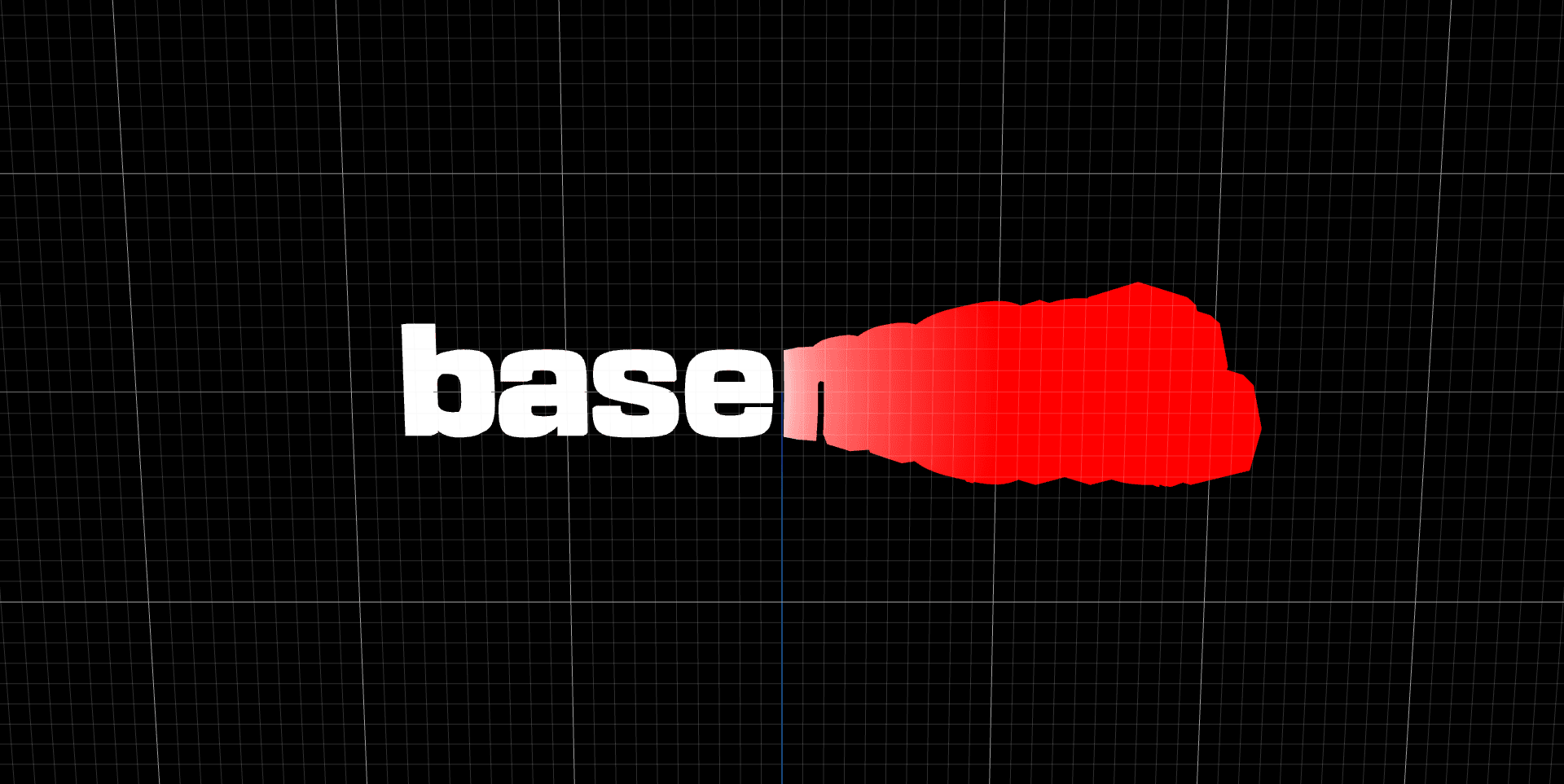
Now, the vertices that are affected by the dissolve effect are moving in the direction of the normal:
Applying the noise texture
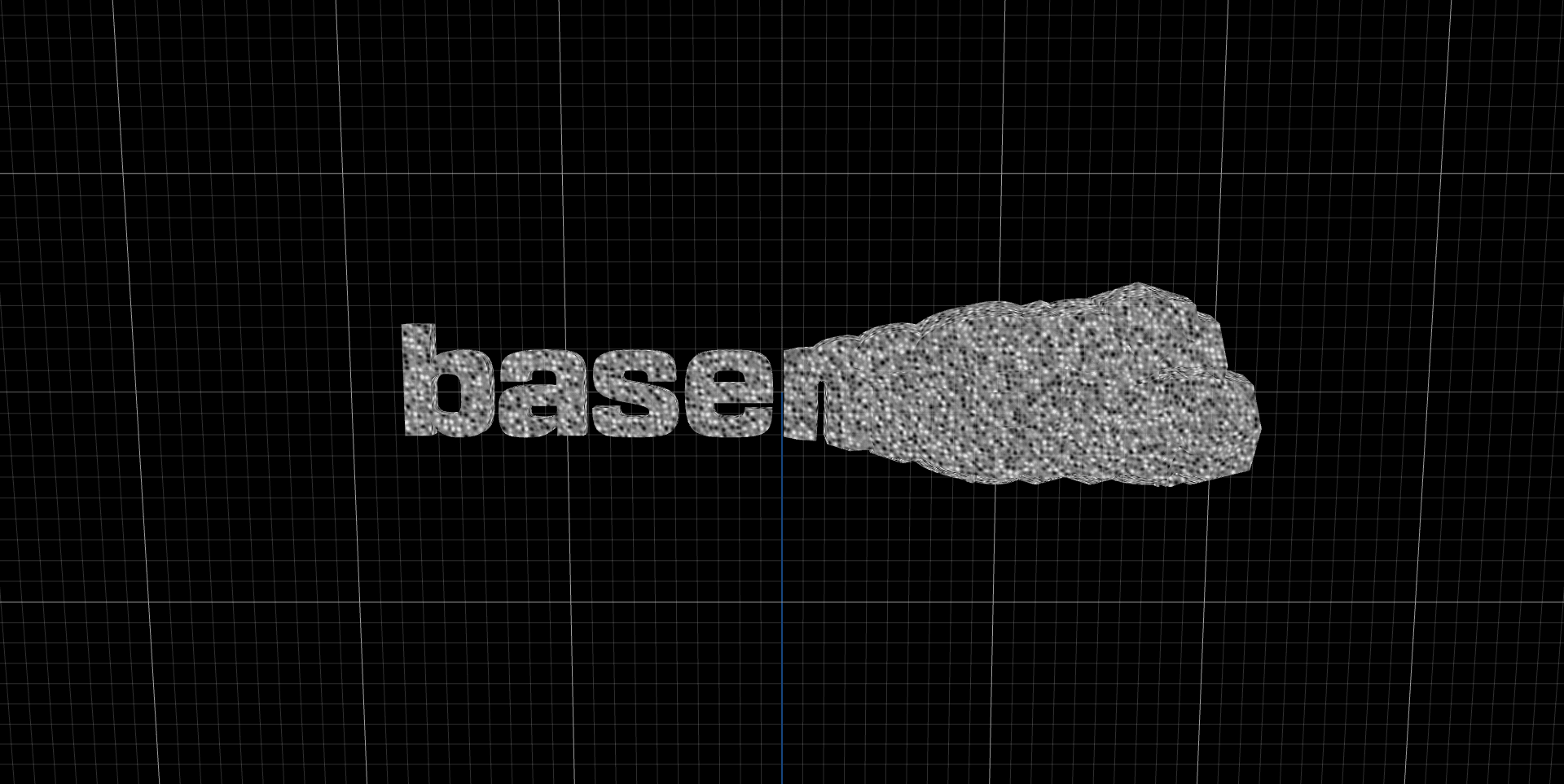
To create a mask for the dissolve effect, we can use a noise texture. I used the Simplex 4D Noise (by Ian McEwan, Ashima Arts).
I also added a noiseSize uniform to control the scale of the noise texture.
// Fragment shader

varying vec3 vNormal;
varying vec2 vUv;
varying vec3 wPos;

uniform float time;
uniform vec3 mousePosition;
uniform float transitionSize;
uniform float radius;
uniform float noiseSize;

// utils
// noise4d1...

void main() {
  // The noise takes a vec4 as parameter,
  // so we can use the time as the 4th dimension to animate it
  vec4 noiseParam = vec4(wPos / noiseSize, time * 0.5);

  // Generate the noise
  float noiseFactor = noise4d1(noiseParam);

  // Remap the noise to a range between 0 and 1
  noiseFactor = noiseFactor * 0.5 + 0.5;

  gl_FragColor = vec4(vec3(noiseFactor), 1.0);
}
Mask
Now that we have the noise and offset factors, we can use it to create a mask for the dissolve effect.
// Fragment shader

varying vec3 vNormal;
varying vec2 vUv;
varying vec3 wPos;

uniform float time;
uniform vec3 mousePosition;
uniform float transitionSize;
uniform float radius;
uniform float noiseSize;

// Utils
// noise4d1
// rgb
// valueRemap
// getOffsetFactor

void main() {
  // Recalculate offset factor with new world position
  float offsetFactor = pow(getOffsetFactor(wPos), 0.4);

  // Calculate noise
  vec4 noiseParam = vec4(wPos / noiseSize, time * 0.5);
  float noiseFactor = noise4d1(noiseParam);
  noiseFactor = noiseFactor * 0.5 + 0.5;

  // Create mask
  float maskFactor = valueRemap(offsetFactor, 0.0, 1.0, -0.01, 1.01);
  float noiseMask = smoothstep(maskFactor, maskFactor + 0.3, noiseFactor);
  noiseMask = clamp(noiseMask / (fwidth(noiseFactor) * 2.0), 0., 1.);
  noiseMask = offsetFactor > 0.99 ? 0.0 : noiseMask;
  noiseMask = offsetFactor < 0.1 ? 1.0 : noiseMask;

  // Discard pixel if noiseMask is too low
  if (noiseMask < 0.1) {
    discard;
  }
  noiseMask = clamp(noiseMask, 0.2, 1.0);

  gl_FragColor = vec4(vec3(noiseMask), noiseMask);

}
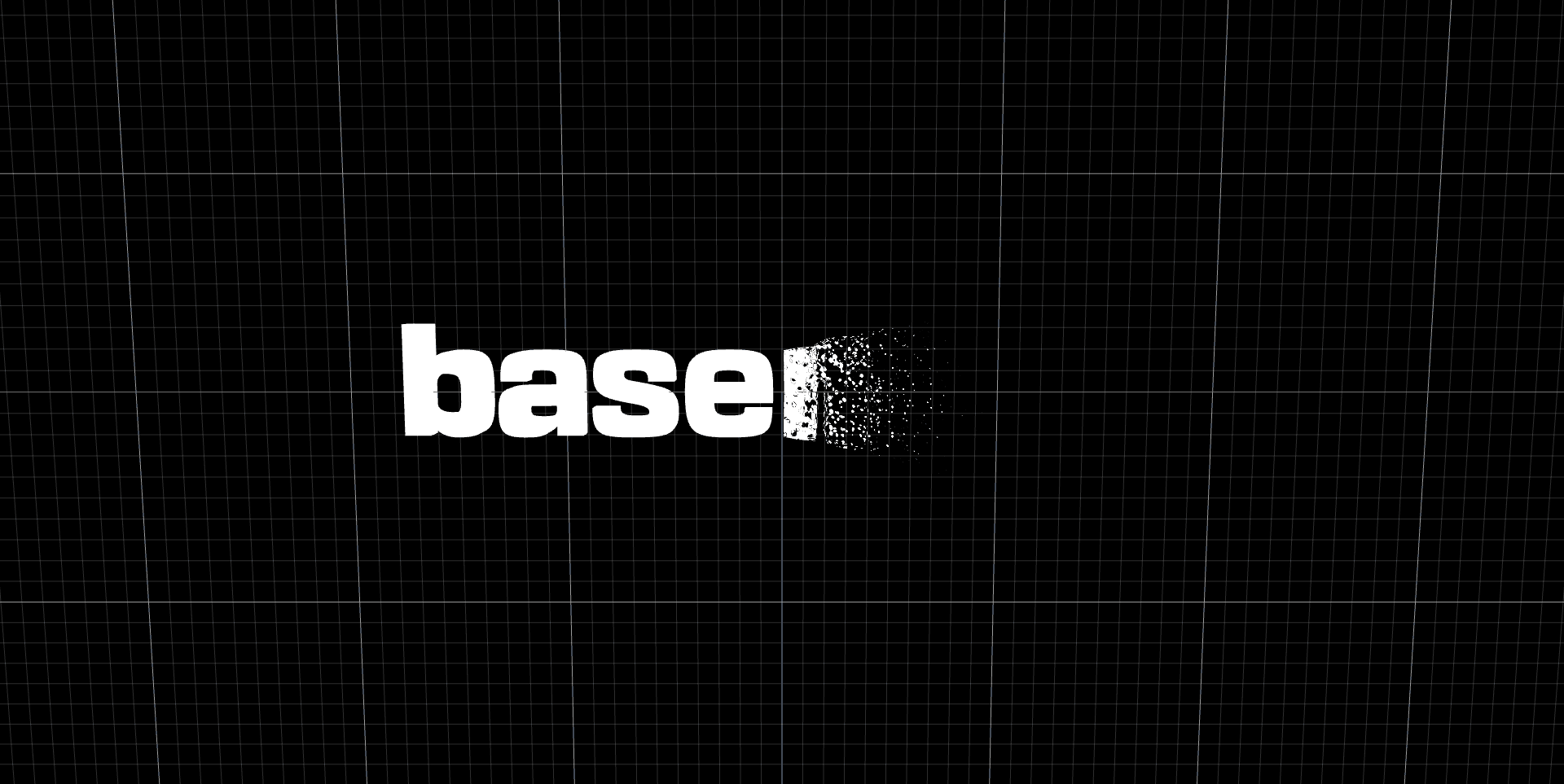
The noise can be transformed using the uniforms. A higher offsetDistance with a low noiseSize will create a more granular dissolve effect:
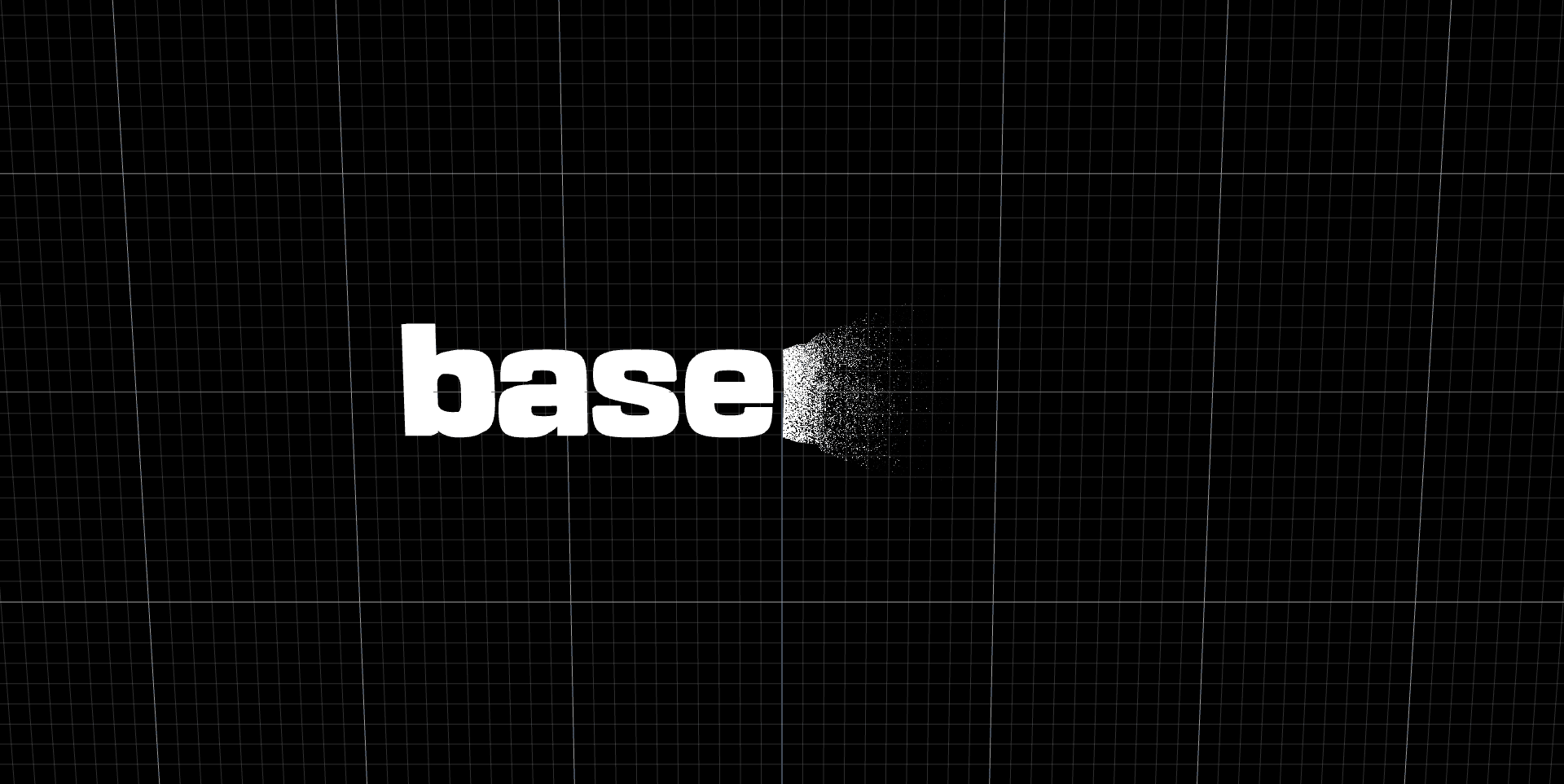
A bigger noiseSize will create visible bubbles:
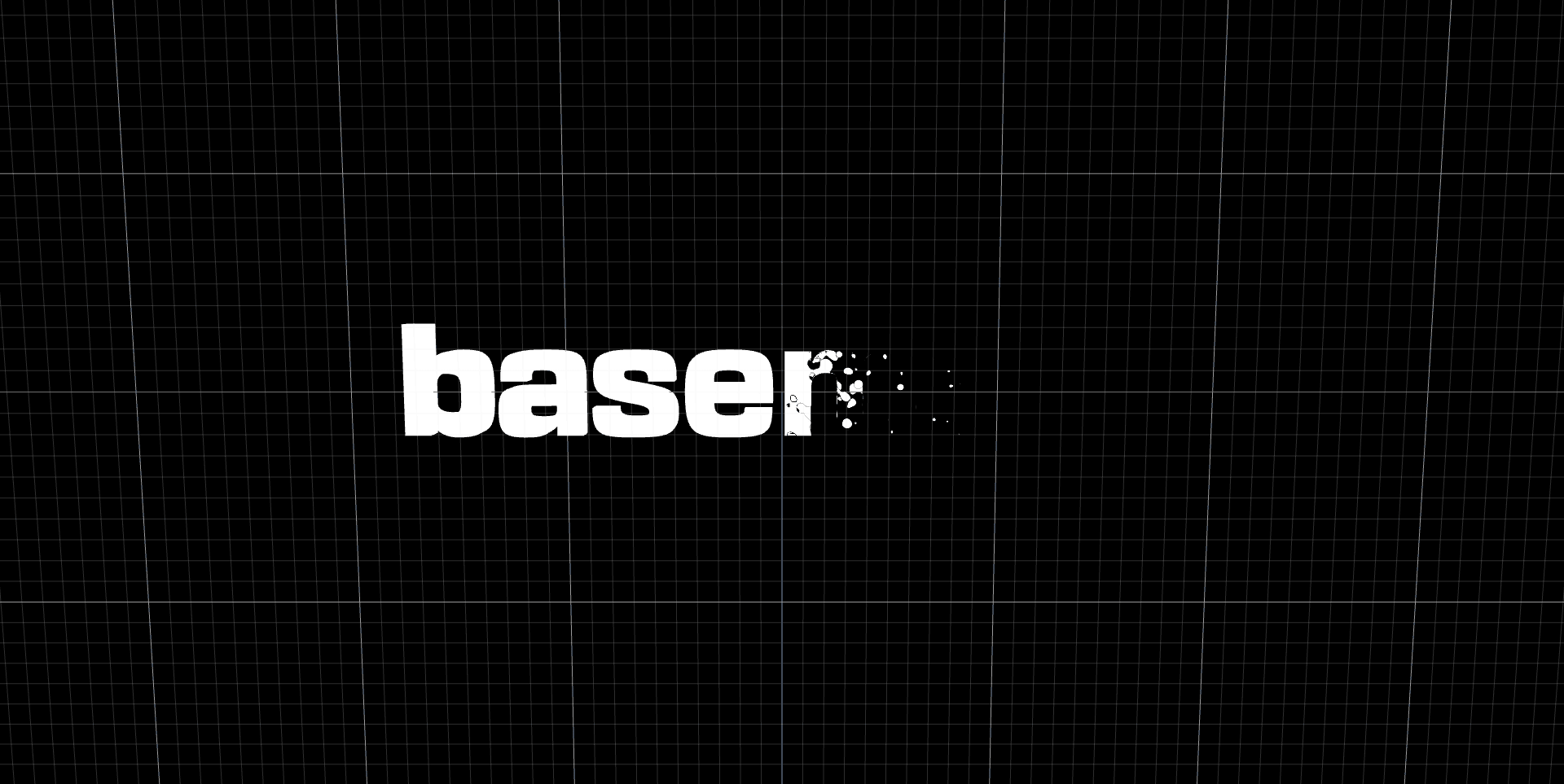
Transition effect
Finally, by shifting the noiseMask we can create a transition effect.
This is the final shader code:
// Vertex shader

varying vec3 vNormal;
varying vec2 vUv;
varying vec3 wPos;

uniform vec3 mousePosition;
uniform float transitionSize;
uniform float radius;
uniform float offsetDistance;

// Utils
// getOffsetFactor...

void main() {
  vUv = uv;
  vNormal = normal;

  // calculate world position
  wPos = (modelMatrix * vec4(position, 1.0)).xyz;

  // calculate offset
  float offsetFactor = getOffsetFactor(wPos);
  vec3 offsetDirection = normalize(position - mousePosition);
  vec3 offset = normal * offsetFactor * offsetDistance;

  // transform pos with offset
  vec3 pos = position;
  pos += offset;

  // recalculate world pos after transform
  wPos = (modelMatrix * vec4(pos, 1.0)).xyz;

  gl_Position = projectionMatrix * modelViewMatrix * vec4(pos, 1.0);
}
// Fragment shader

varying vec3 vNormal;
varying vec2 vUv;
varying vec3 wPos;

uniform float time;
uniform vec3 mousePosition;
uniform float transitionSize;
uniform float radius;
uniform float noiseSize;

// Utils
// noise4d1...
// rgb...
// valueRemap...
// getOffsetFactor...

void main() {
  // Recalculate offset factor with new world position
  float offsetFactor = pow(getOffsetFactor(wPos), 0.4);

  // generate a 4D vector for noise, use time as 4th dimension
  vec4 noiseParam = vec4(wPos / noiseSize, time * 0.5);

  // Calculate noise and remap it from -1, 1 to 0, 1
  float noiseFactor = noise4d1(noiseParam);
  noiseFactor = noiseFactor * 0.5 + 0.5;

  // Create mask
  float maskFactor = valueRemap(offsetFactor, 0.0, 1.0, -0.01, 1.01);
  float noiseMask = smoothstep(maskFactor, maskFactor + 0.3, noiseFactor);
  noiseMask = clamp(noiseMask / (fwidth(noiseFactor) * 2.0), 0., 1.);
  noiseMask = offsetFactor > 0.99 ? 0.0 : noiseMask;
  noiseMask = offsetFactor < 0.1 ? 1.0 : noiseMask;

  // Discard pixel if noiseMask is too low
  if (noiseMask < 0.1) {
    discard;
  }
  noiseMask = clamp(noiseMask, 0.2, 1.0);

  // Border
  float borderSize = 0.2;
  float borderMask = noiseFactor - borderSize > maskFactor ? 1.0 : 0.0;
  borderMask = smoothstep(maskFactor, maskFactor + 0.01, noiseFactor - borderSize);
  borderMask = offsetFactor < 0.01 ? 1.0 : borderMask;

  // Color transition
  vec3 orange = rgb(255.0, 77.0, 0.0);
  vec3 white = vec3(0.95);
  vec3 result = mix(orange, white, borderMask);

  gl_FragColor = vec4(result, noiseMask);
}
Final result
Checkout the live demo and the source code